
Sarasota Herald-Tribune
USA TODAY Co.News & Magazines
3.070.00 Reviews
- Version
- 8.10.3
- Installs
- 10.00K
- Age Rating
- Everyone
Screenshots
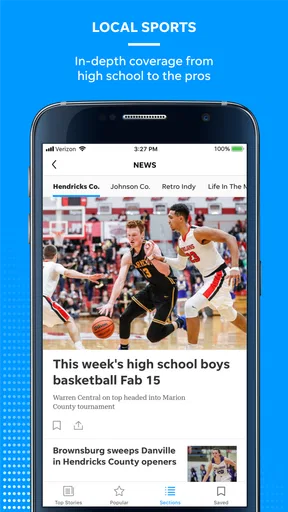
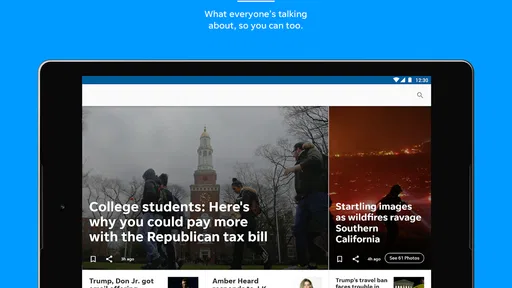
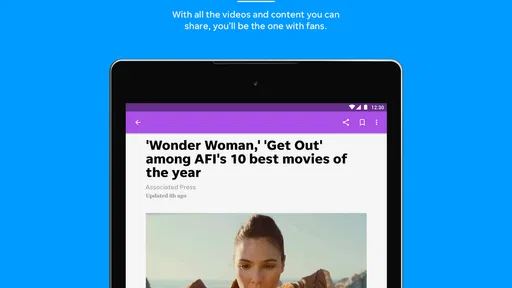
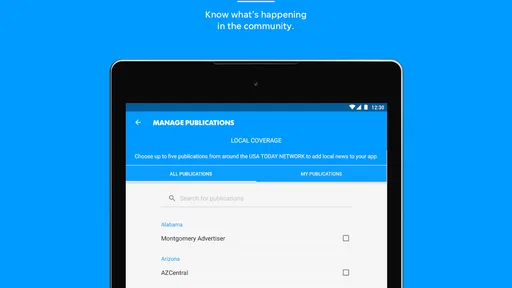
Our Review of Sarasota Herald-Tribune
 Analysis by Appyee
I approached Sarasota Herald-Tribune as a focused way to keep up with local reporting while still having access to broader news coverage. It is a free News & Magazines app from USA TODAY Co., aimed at readers who want the Sarasota Herald-Tribune experience on a mobile device rather than relying only on a browser. My overall impression is that it makes sense for people who already care about Sarasota-area news, but it is less compelling as a complete replacement for every news source on a phone.
The app has a 3.0 average from around 140 ratings, so the public reaction is mixed rather than overwhelmingly positive. That matters because local-news apps are very personal: one reader may value the regional focus enough to overlook small annoyances, while another may expect a smoother, broader, or more customizable news experience. I found it most useful when I treated it as a local reporting destination, not as a universal news reader.
How the Sarasota Herald-Tribune app feels today
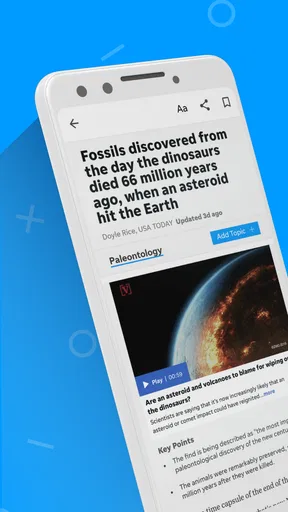
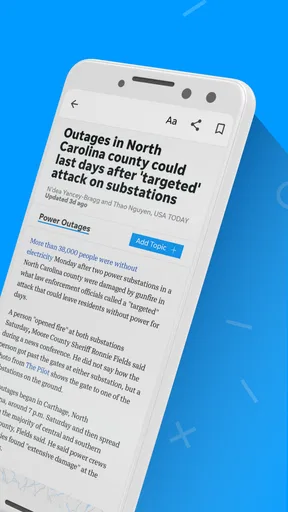
The central appeal is straightforward. The app brings local and national stories, photography, and video into one place, with the Sarasota Herald-Tribune identity at the center. That combination gives it a different purpose from a general headline aggregator. Instead of scanning a constantly changing mix of publishers, I can use it when I specifically want news connected to Sarasota and the surrounding community.
That local emphasis is the strongest reason to install it. A general national news app may be better for quickly comparing major stories from several outlets, but it usually does not provide the same sense of place. For someone following regional decisions, local events, community developments, or issues that receive limited national attention, a newspaper-branded app can be more useful than a broad feed full of unrelated headlines.
I also like the balance between written stories and visual material. Photography can help a local report feel grounded, while video is useful when a story is easier to understand through scenes, interviews, or recorded updates. The important distinction is that these formats support the publication’s reporting rather than turning the app into a general entertainment feed.
In everyday use, I would open it in the morning to see what changed locally, return during a lunch break for developing stories, and use the visual content when I wanted more context than a headline offered. That routine works best for readers who are comfortable checking a publication directly. If you prefer one app that automatically combines every source and learns your interests in detail, the experience may feel comparatively narrow.
A practical routine for local readers
One useful approach is to separate quick scanning from deliberate reading. I would first look through the latest headlines and identify the stories that affect my area or interests. Then I would open only the most relevant reports, especially when a headline is too brief to explain the local consequences. This avoids treating the app like an endless social feed and makes its regional focus work in its favor.
The same habit helps with video and photography. Rather than opening every media item automatically, I would use visual coverage when the subject involves a place, event, or situation where images add meaningful context. That is a small but worthwhile trade-off: the app becomes a tool for understanding local news instead of simply another source of notifications and quick impressions.
For families, older relatives, or anyone who wants a straightforward news source, the Everyone content rating makes the app broadly approachable. That does not mean every story will be light or comfortable, since news naturally covers serious subjects, but the rating indicates that the app is intended for a general audience rather than a restricted age group.
What the current release tells me
The current version is 8.10.3, and the app requires Android 8.0 or later. Those details make it reasonably accessible for people using an older but still supported Android phone, although anyone with a device below that system requirement would need another way to read the publication. I would check the phone’s Android version before planning around the app, particularly if the device is several years old.
The release information is useful as a snapshot of the product’s current stage, but it should not be confused with a promise about future changes. A version number can show that the app is actively maintained as a product line, yet it does not by itself tell me how much the reading experience has changed or whether every issue reported by users has been addressed. I would judge the app by its present behavior and by whether it fits my reading habits.
For existing users, moving to the current release is likely most relevant when the app behaves inconsistently on a newer phone or when media content does not feel as smooth as expected. I would update through the normal app channel, then spend a few minutes checking the areas I actually use: opening a local story, viewing a photograph, playing a video, and returning to the main news screen. That simple check is more meaningful than assuming a newer version automatically solves every personal annoyance.
Where it fits beside other news choices
The clearest comparison is with a mobile browser. A browser gives me flexibility and lets me move between many publications, but it can also create extra steps: finding the site, navigating around unrelated tabs, and repeatedly adjusting the page for a small screen. The dedicated app offers a more direct path to this newspaper’s material. If Sarasota Herald-Tribune is already one of my regular sources, that convenience is valuable.
Compared with a national news app, this one wins on regional identity and loses on breadth. A national service is better when I want international coverage, several viewpoints in one place, or a single feed covering many subjects. The Sarasota Herald-Tribune app is better when the question is, “What is happening around here?” I would not install it expecting the same range as a large aggregator.
It also differs from social media. Social platforms can surface local information quickly, but the path from an event to a reliable, readable report is less consistent. A newspaper app gives me a more intentional destination. The trade-off is that social media may feel faster and more interactive, while the newspaper app is more focused on consuming published coverage.
People who already subscribe to several news services should consider whether this app adds a genuinely local layer or simply duplicates another feed. For me, its value comes from specialization. I would skip it if my only goal were national headlines or if I rarely read local reporting. I would keep it installed if Sarasota-area coverage is part of my normal week.
Costs, access, and the subscription question
The app is free to install, which makes trying it low-risk. There are in-app purchases listed from $19.99 to $69.99 per item, so readers should pay attention to the purchase flow and understand what an offered option provides before confirming anything. I would not assume that free installation means every part of the newspaper experience is unrestricted.
This is an important practical distinction for casual readers. Someone who only wants to sample local headlines may be satisfied without spending money, while a regular reader may encounter purchase options connected with deeper access or a longer-term newspaper relationship. Because those needs differ, I would decide based on reading frequency: occasional visitors should test the free experience first, and frequent readers should examine the terms shown inside the app carefully.
I also recommend treating the app as one part of a news routine rather than making an immediate commitment. Read several local stories, try the media content, and see whether the publication’s regional perspective consistently answers the questions you have. That approach makes the cost decision more sensible than buying simply because the app is convenient on the first day.
Friction that may affect the experience
The mixed rating suggests that the app will not satisfy everyone equally. A local newspaper application has to balance editorial priorities, mobile presentation, media playback, and access decisions, and any weak point can shape the entire impression. Even when the reporting is useful, readers may become frustrated if navigating between stories feels less direct than expected or if the app does not match the flexibility of a browser.
My main caution is about expectations. The store summary emphasizes local and national news, photography, and video, but that does not mean the app should be judged like a highly personalized news aggregator. Its strength is the publication behind it. If I want extensive feed controls, a large selection of publishers, or a tool built primarily for headline comparison, another app may be a better fit.
Media-heavy coverage can also change how I use it. Photographs and video are valuable when they clarify a story, but they may be less convenient when I am trying to read quickly or conserve attention. I would use the written article first, then open supporting media when it adds something specific. That workflow keeps the richer content from becoming a distraction.
Another limitation is that the app’s usefulness depends on my location and interests. A reader who lives far from Sarasota and has no ongoing connection to the area may find the local emphasis too specialized. In that case, a national publication or a multi-source reader would probably offer more value for the same amount of time.
Who should install it
I would recommend it to Sarasota-area residents, former residents who still follow the region, and readers who deliberately want a local publication in their daily news mix. It is especially suitable for someone who prefers opening one recognizable source for regional reporting instead of searching the web each time.
It can also suit a reader who values visual journalism. The combination of articles, photography, and video gives local stories more than one way to communicate information. I would not call that a reason by itself to install the app, but it becomes a useful advantage when the story depends on places, people, or events that are hard to understand from text alone.
I would suggest skipping it if you want only international headlines, a highly customizable news feed, or a single app that gathers many publishers. I would also hesitate if the Android phone cannot run version 8.0 or later. In those cases, a browser or another news application may be more practical.
What existing users and new readers should watch
For current users, the most useful things to watch are the parts of the experience that affect daily reading rather than the version number alone. After an update, check whether local stories open reliably, whether photographs and videos behave properly, and whether moving from one article back to the main feed feels natural. Those are the details that determine whether the app earns a permanent place on the home screen.
New readers should watch how often the app gives them information they would not otherwise seek out. If it helps me notice local developments that a national feed would overlook, it is doing something distinctive. If I open it and see only stories I already encountered elsewhere, its specialized identity may not justify another app on the phone.
I would also keep an eye on purchase prompts and make sure I understand the commitment before accepting one. The free entry point is helpful, but the presence of paid items means the app should be approached with the same care as any digital publication service. A short trial period of normal reading is the best way to decide whether the paid path is worthwhile.
Finally, I would watch how well the app continues to serve both quick updates and deeper reading. A good local-news routine needs both: a fast look when time is limited and enough context when a story matters. The Sarasota Herald-Tribune app has a clear reason to exist because of its regional focus, but its long-term value depends on whether that focus remains convenient, readable, and worth returning to.
My final take
The Sarasota Herald-Tribune app is best understood as a dedicated local-news companion, not an all-purpose news replacement. I like the direct connection to Sarasota reporting and the mix of written coverage with photography and video. The free installation makes it easy to test, and the broad age rating keeps it accessible to general readers.
At the same time, the 3.0 average shows that the experience has not convinced every user. I would approach it with realistic expectations, test the current version on my own phone, and compare its daily usefulness with the browser or news apps I already use. For a reader who cares about Sarasota, that local focus can be enough to make it worthwhile. For everyone else, a broader alternative will probably be the better choice.
Verdict
Strengths of Sarasota Herald-Tribune
- Covers Sarasota, Bradenton, and nearby communities with strong local focus.
- Offers timely reporting on local government, schools, and community events.
- Includes local sports coverage alongside regional news and features.
- Digital access makes it easy to read articles while traveling or away from print.
- Subscription options may include access to the newspaper’s broader digital archive.
Limitations of Sarasota Herald-Tribune
- Many articles may require a subscription or account after limited free access.
- Some content can feel less relevant to readers outside the coverage area.
- Breaking-news updates may vary in speed compared with dedicated news apps.
- The app may promote subscription offers or other newspaper products.
- Certain features depend on a stable internet connection for loading content.
Other Releases by USA TODAY Co.
View All
IndyStar: Indianapolis Star
News & Magazines2.7

AZ Central: Arizona Republic
News & Magazines2.5

The Detroit News: Local News
News & Magazines3.1

Detroit Free Press: Freep
News & Magazines3.0
Similar Picks in This Category
View All
Google News - Daily Headlines
Google LLC4.0

X
X Corp.4.8

Flipboard:Your Social Magazine
Flipboard3.4

Opera News: breaking & local
Opera4.5

Hindi News by Dainik Bhaskar
Dainik Bhaskar Group4.0

Way2News Daily News App
Way2News ( Formerly Way2SMS )4.6
Frequently Asked Questions
What is the Sarasota Herald-Tribune app?
The Sarasota Herald-Tribune app is a digital news platform for readers who want local reporting from Sarasota, Bradenton, Venice, and surrounding communities. It typically includes breaking news, politics, business, sports, entertainment, opinion, and regional features. The app is designed for convenient reading on a phone or tablet and may also provide access to the newspaper’s broader digital subscription service.
Is the Sarasota Herald-Tribune app free to download and use?
Downloading the Sarasota Herald-Tribune app is generally free, but access to all articles and premium content may require a digital subscription. Some stories can often be read without signing in, while frequent readers may encounter a subscription limit or paywall. Before downloading, check the current pricing, trial terms, and available subscription options in the app or official app store listing.
What content can I read in the Sarasota Herald-Tribune app?
The app focuses on news and information relevant to Florida’s Gulf Coast, particularly Sarasota and nearby communities. Depending on the current edition and service, readers may find local breaking news, investigations, weather, traffic, sports coverage, community updates, arts, dining, and opinion articles. Content availability can change, and some features may be limited to subscribers.
Does the app require an account or subscription?
You may be able to browse selected content without creating an account, but an account is usually needed to manage a subscription, save preferences, or access subscriber-only articles. A paid digital subscription may unlock unlimited reading and additional benefits. Users should review the sign-in process and subscription conditions carefully, especially if they plan to use the app across multiple devices.
Can I receive breaking-news alerts from the Sarasota Herald-Tribune app?
The Sarasota Herald-Tribune app may support push notifications for breaking news, major local developments, weather-related events, and other important updates. Notifications can usually be enabled or disabled through the app or your device settings. If you prefer fewer interruptions, you can customize alerts where available, while keeping urgent local news notifications turned on when appropriate.
